The Correct Use And Debugging Of Ultrasonic Vibrating Screen
Feb 24, 2023
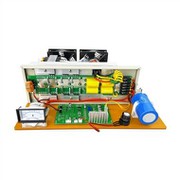
1. Adjustment of amplitude. The ultrasonic vibration screen of the ultrasonic system amplitude regulation plays a very important role, the adjustment of the amplitude is also to be adjusted according to the characteristics of the material, the size of the vibration frequency is directly related to the size of the screening output. Adjust the vibration frequency is appropriate, not only the output of screening can meet the requirements of users, and reduce the damage of the screen to reduce the labor intensity of maintenance personnel and parts of the capital investment. 2. Power adjustment. Users need to pay attention to the power of the ultrasonic vibrating screen is not to adjust the larger the better, the larger the amplitude is better, but need to adjust reasonably according to the screening effect of the material on the screen surface. In a small amount of material when the screening effect is better, you can on the basis of the amplitude, power, appropriate to increase, and then a large number of material screening. This can avoid the power of the equipment caused by large energy consumption, but also easy to reduce the service life of the screen. The power is too low, the material handling capacity can not meet the user's requirements, but also easy to produce screen surface material accumulation phenomenon. The use of ultrasonic vibrating screen is very simple, but it is recommended that users first carefully read the ultrasonic vibrating screen instruction manual, control manual and ultrasonic power system on the button, understand the relevant operation interface and the role of the button, know the ultrasonic system LCD interface display character is on behalf of its in what state. This is a very important point that most users ignore before using. Such as ON/OFF means, when is the ultrasonic system is normal working state, when is the ultrasonic system fault displayed on the display interface. Users need to understand the function of the button and the meaning of the interface state display by referring to the instruction manual before operating. Such as working mode press once to pulse (intermittent) working mode, press again to return to continuous working state. Secondary control: control generator work start/stop, when in the stop state display window displays OFF. Display window: display rate, output power, equipment fault code. Ac input line: connected to the machine and the circuit of the connection device, at the same time to pay attention to good grounding. After understanding the equipment performance and Settings, you can debug, users can put a small amount of material for trial, according to the material screening situation to adjust, such as material jump height, output per hour achieved, continuous working time, so as to achieve the ideal screening effect. When there is a fault in the process of use, if it is the ultrasonic vibrating screen body part of the fault, can be found from the body part, analysis of the solution, but if it is the ultrasonic system part of the fault, the user can display the code from the screen, according to the instruction manual on the code identification, find the cause of the fault, but need to pay attention to is the user do not open the ultrasonic vibration Power system of moving screen to avoid accidents.