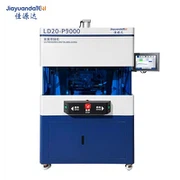
How To Use An Ultrasonic Cleaning Machine To Clean Ink Heads?
Sep 10, 2025
Preparation:
Tools: Ultrasonic cleaning machine, specialized cleaning solution (or deionized water), soft cloth, gloves.
Disassemble the ink head: Remove the ink head according to the printer manual, avoiding touching the circuit contacts.
Cleaning process:
1. Prepare cleaning solution: Pour the cleaning solution into the cleaning tank, and the liquid level should completely cover the ink head (recommended liquid height of 3-5cm).
2. Set parameters:
Frequency: Select low frequency mode below 40kHz (high frequency may damage the ink head).
Temperature: Heating to 30-40 ℃ can improve the cleaning effect (if there is no heating function, you can mix the cleaning solution with warm water in advance).
◦ Time: Initial cleaning takes 3-5 minutes, stubborn blockage can be extended to 8 minutes, avoiding exceeding 10 minutes.
3. Start cleaning: After inserting the ink head, start the device and observe the gradual precipitation of ink impurities.
4. Secondary cleaning: If there is a lot of residue, replace the cleaning solution and repeat the operation 1-2 times.
5. Drying and installation: Use a dust-free soft cloth to absorb moisture, let it sit for 1 hour to dry thoroughly, and then reinstall the printer.